Savicor CRMAvailable
Every customer, deal and email in one place.
Contacts and companies, pipelines for deals and outreach, a shared inbox, lead forms, booking links and newsletters. Free for up to 3 users, no payment details needed.
Starter is free for up to 3 users. No payment details needed.
- See every deal on one board and drag it to the next stage.
- Answer customer email as a team from a shared inbox, or from your own Gmail or Outlook.
- Reply in seconds with templates that fill in the name and company.
- Let people book a meeting with you, or leave their details on your website.
- Follow up automatically with sequences that stop when the customer replies.
- Send newsletters to the contacts who said yes, with unsubscribe built in.
The screens
How the parts fit together.
Real screens from a demo organisation with example data.
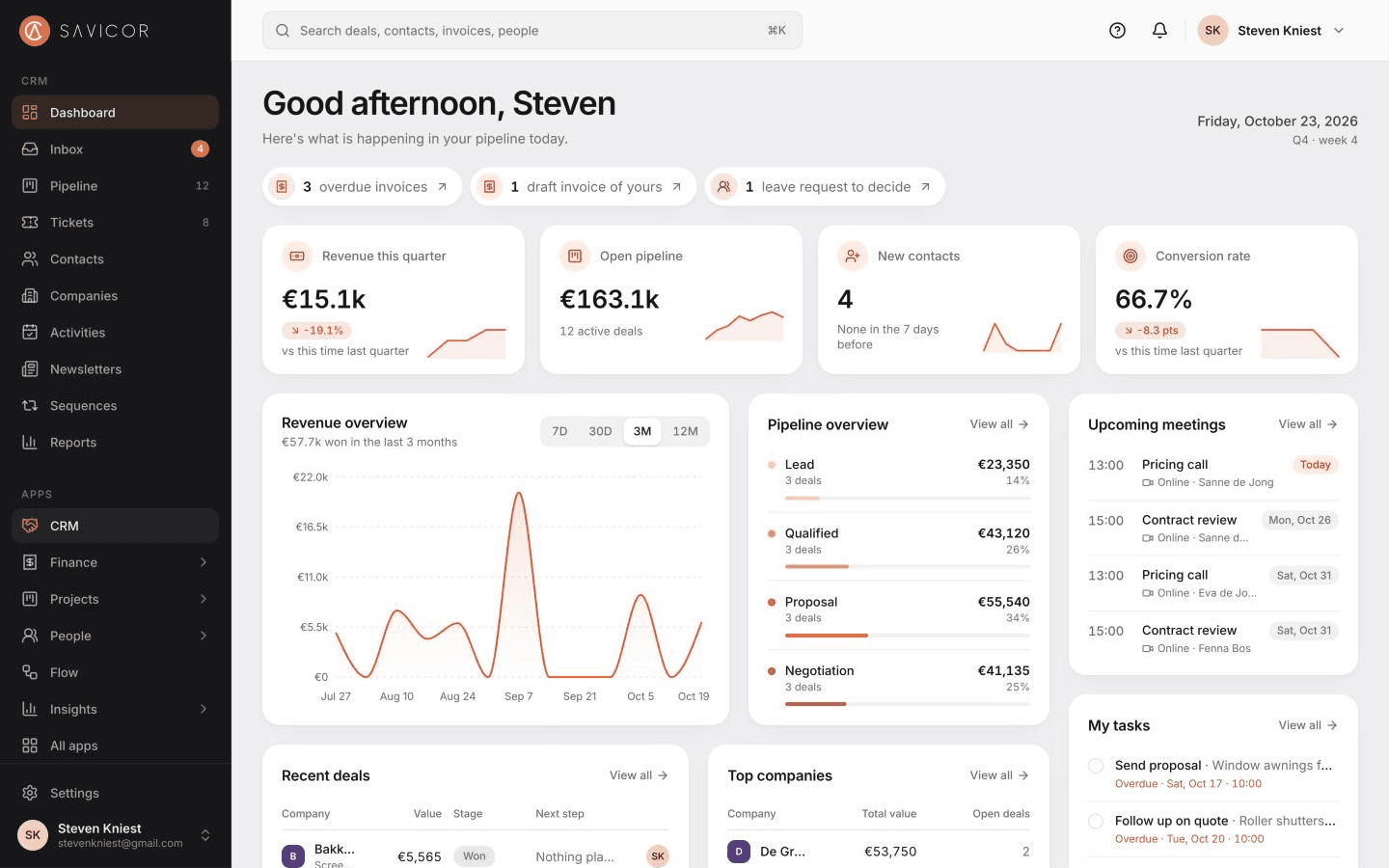
Dashboard
Revenue, open pipeline, meetings and your tasks on one page, with what needs you today on top.
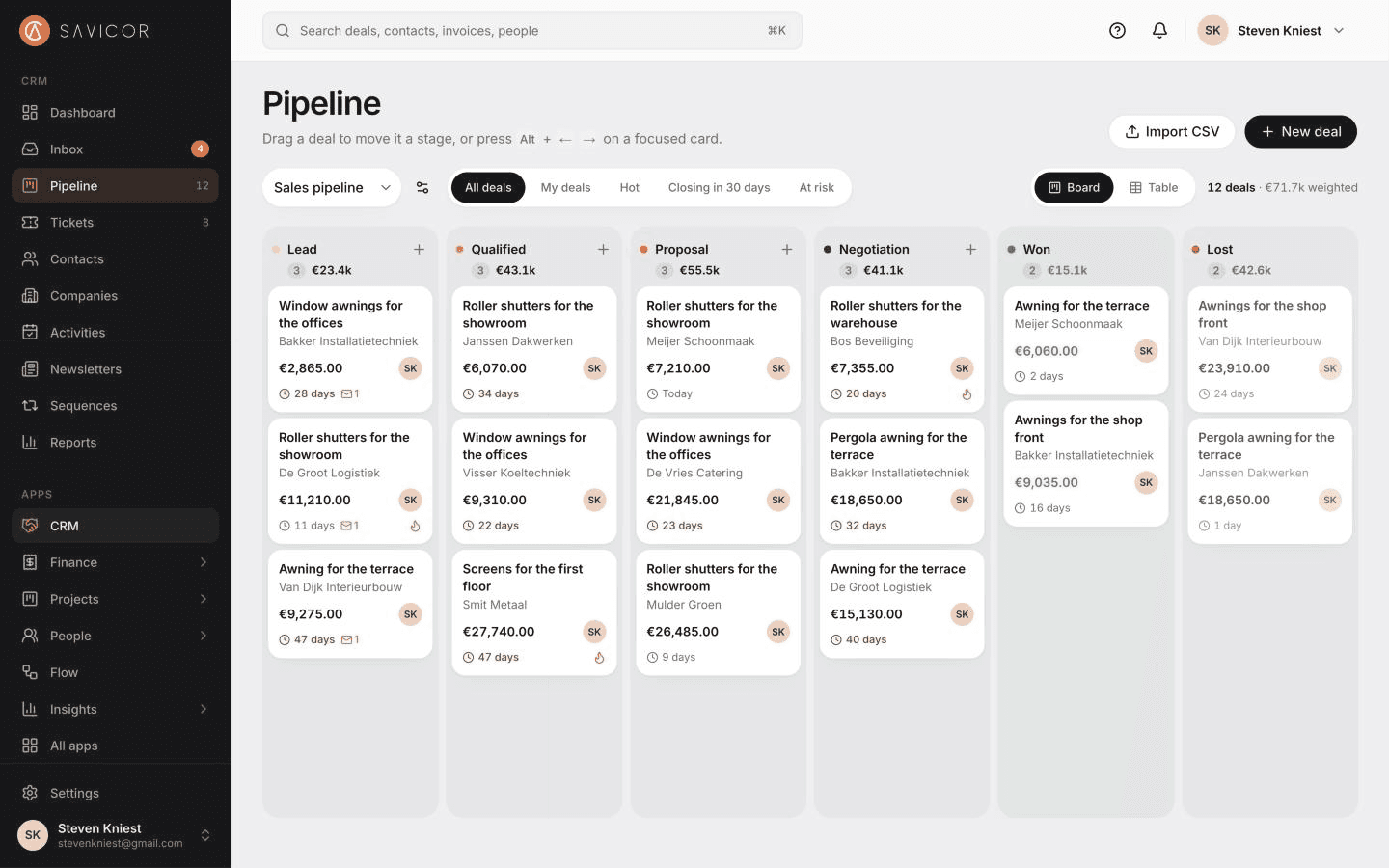
Pipeline
Every deal on one board, by stage, with its value, owner and how long it has waited.
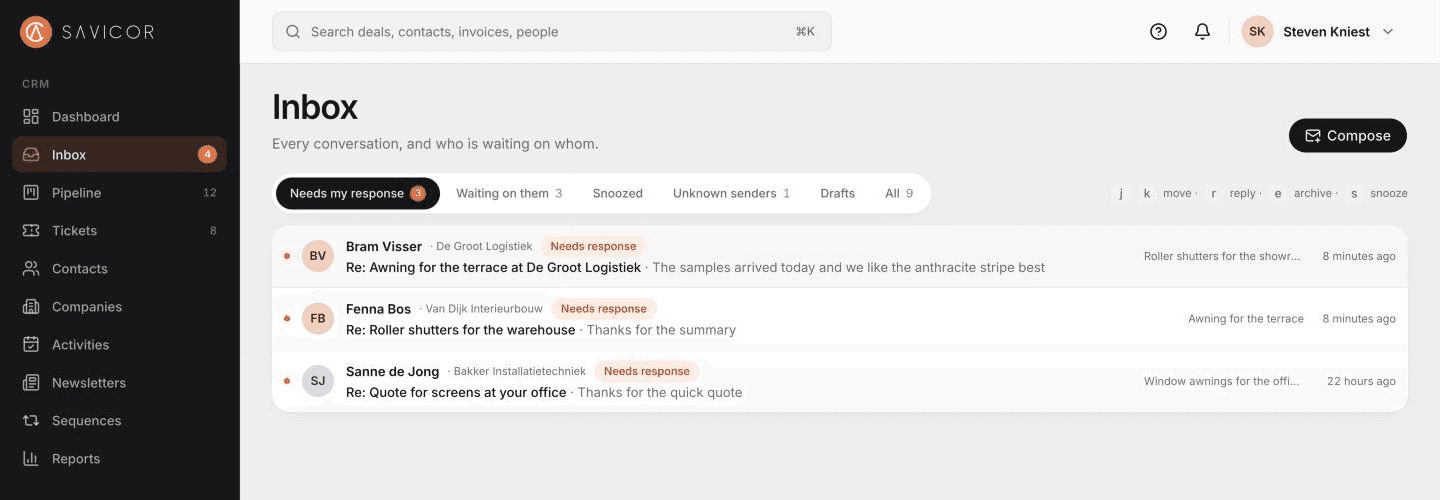
Inbox
Customer email lands next to the deal it belongs to, so the team sees who is waiting on whom.
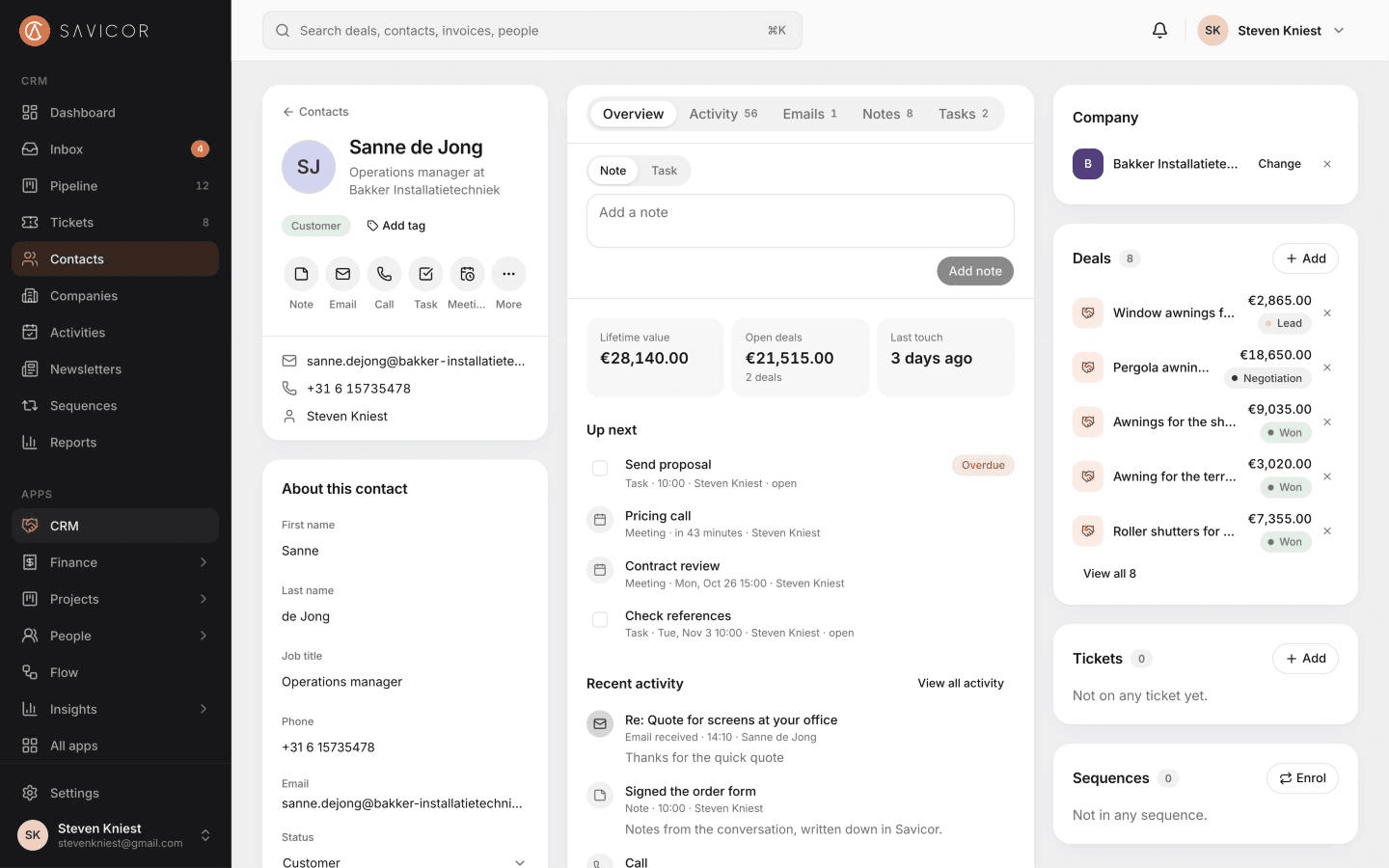
Contact
One page per person with their company, deals, emails, calls and meetings.
Pipelines
A board for deals, and one for outreach.
Drag deals between stages, or move them with the keyboard. Each card shows the company, the value, how likely it is, how long it has been in its stage and the owner. Outreach you start yourself gets tickets, in pipelines of their own.
- Several pipelines, each with its own stages and likelihoods
- Weighted value per stage, and stale deals marked
- Tickets follow outreach from the first mail to a meeting, then become a deal
Customer records
One page per customer.
A company page holds its people, open and closed deals and every call, meeting and email, plus its projects and invoices when you use those apps. Wherever a form links a company or contact, a search panel finds it as you type, or adds it.
- Contacts and companies with tags and saved views
- Search panel to pick or add the right record
- CSV import with a preview and duplicate checks
Shared inbox
See who is waiting on whom.
Email is sent from your own domain and replies come back to the right conversation, linked to its contact and deal. Needs my response and Waiting on them keep every follow-up in view.
- Follow-up rules, snooze and undo send
- Mail from other programs is logged by BCC
- Turn any email into an outreach ticket
Lead forms and booking links
Leads and meetings come to you.
Put a form on your website or share its link: each submission becomes a contact, owned by the person you choose and tagged. A booking link shows your free time from your working hours and meetings, and every booking adds the meeting and the lead.
- Hosted forms, or embedded on your own site
- Spam trap and rate limits on every form
- With Flow on, automations run for new leads
Part of the platform
One record, one login, one set of permissions.
Savicor CRM works on the same customers, team and roles as the other apps, so nothing is copied between them.
- One loginSign in once with two-factor authentication and move between apps.
- One recordA customer exists once, with what every app knows about it.
- One set of permissionsRoles are set once and apply in every app, down to the records each person sees.
With the other apps
- Savicor FinanceBetaQuotes and invoices start from a deal and show on the company page.
- Savicor ProjectsBetaA won deal becomes a project with the customer already linked.
- Savicor PeopleBetaThe same team and roles, and you see who is away before you plan.
- Savicor FlowBetaAutomations run when deals move, tickets change or leads come in.
- Savicor InsightsBetaWin rate, sales cycle and pipeline, each with how it is calculated.
Who it is for
Made for small and mid-sized teams.
Small sales teams
One pipeline and one inbox the whole team shares, set up in an afternoon.
Service businesses
Track who you reached out to, book the meeting and quote from the deal.
Founders who sell
Free for up to 3 users, so you can start before you hire.
Pricing
Free
On Starter, for up to 3 users
- Starter: included€0 per user
- Professional: included€19 per user
- Business: included€39 per user
- Enterprise: includedCustom
Billing is not live yet: prices are indicative until it opens. See pricing
Questions
- Is it really free?
- Yes. The Starter plan includes the CRM for up to 3 users and needs no payment details. Paid plans with more users and apps open once billing is connected.
- Can I bring my data?
- Contacts, companies and deals import from CSV, with a preview, duplicate checks and a tag on every imported row.
- Which email does the inbox work with?
- Savicor sends from your own domain once it is verified in Settings, and replies come back to the right conversation. Mail you send from another program is logged when you forward it or add the log address in BCC.
- What is a ticket for?
- A ticket follows a conversation you start yourself, such as outreach by email, through its own stages and without an amount. When it turns into business, make it a deal.
Start using Savicor CRM today.
Create your organisation on the free Starter plan and invite your team.